
4.4
2,100+ reviews on G2

Improving posture means setting up your desk and screen so you can sit and stand without slumping, moving often, and building the back and core strength that holds you upright. Four habits help:
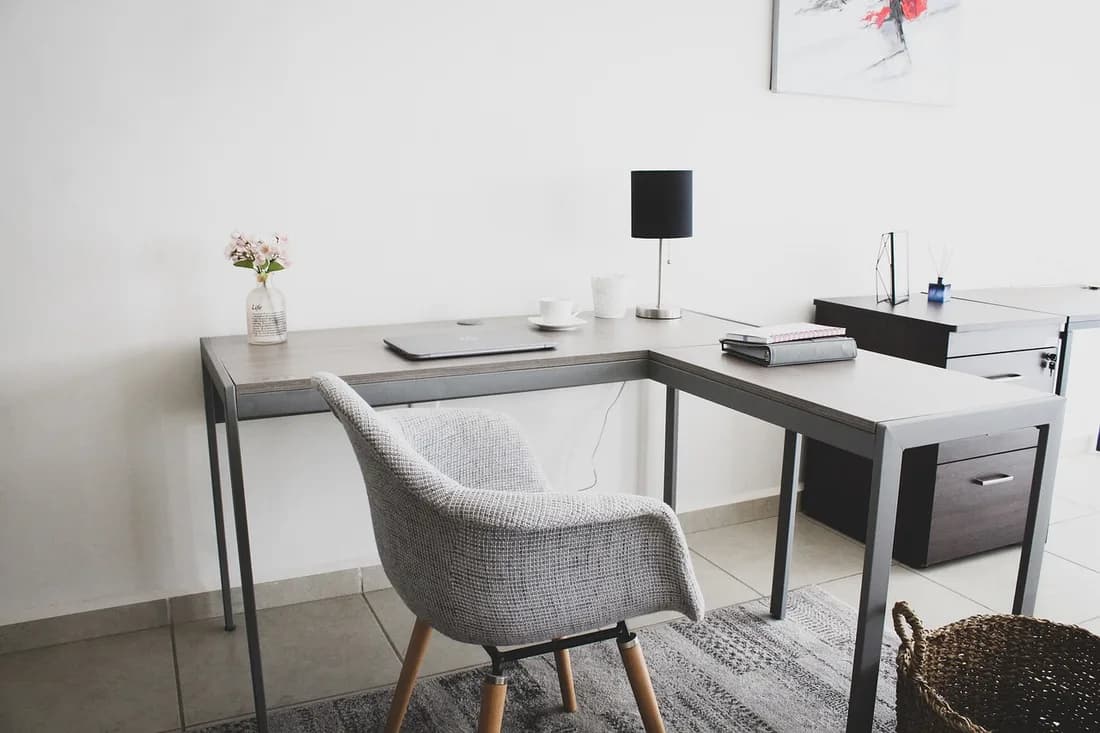
The top at or slightly below eye level.
Chair height set so your feet rest on the floor.
Change position and get up regularly.
Strength work 2 days a week keeps you upright.
Train with a plan in Evernote. The AI Assistant writes your plan, and your dictated log becomes a chart.
Choose a chair that supports your spine and set its height so your feet rest flat on the floor, or use a footrest, as Mayo Clinic advises. Armrests should let your shoulders relax.
Put the monitor straight in front of you, about an arm's length away, with the top at or slightly below eye level. A laptop on a stand with a separate keyboard does the same.
Keep the keyboard in front of you with wrists straight, upper arms close to your body and hands at or slightly below elbow height.
Mayo Clinic says sitting in the same position for hours is not good for your body. Get up and walk around as often as you can.
The CDC recommends muscle-strengthening activity for all major muscle groups, including the back and abdomen, at least 2 days a week. Rows, planks and bridges are common choices.
Kneel on one knee and shift your weight gently forward until you feel a stretch at the front of the hip. Hold about 30 seconds a side.
| Exercise | Sets x reps or hold | Why |
|---|---|---|
| 1Desk check: chair, screen, keyboard | Once | Sets up the day |
| 5Band rows | 2 x 12 | Upper back |
| Plank | 3 x 20 s | Core |
| Glute bridge | 2 x 12 | Hips and lower back |
| Kneeling hip flexor stretch | 30 s each side, 2 rounds | Front of hips |
| Every 30 minutes at the desk: stand up for a minute | ||
If you have back or neck pain that does not go away, see a doctor or physical therapist before starting a routine.
From Mayo Clinic's office ergonomics guide.
| Item | Set it like this |
|---|---|
| Chair | Supports your spine; feet flat on the floor or on a footrest |
| Armrests | Arms rest gently, elbows close to the body, shoulders relaxed |
| Monitor | Straight ahead, about an arm's length away, 20 to 40 inches |
| Screen height | Top of the screen at or slightly below eye level |
| Keyboard and mouse | In front of you, wrists straight, hands at or below elbow height |
Source: Mayo Clinic, "Office ergonomics: Your how-to guide".
Copy it, or save it to your Evernote account and start each training block from it.
Goal: [what you want to do, and by when]
Training days: [for example Mon, Wed, Fri]
Warm-up: [5 to 10 minutes of easy movement]
Exercise 1: [name] · [sets] x [reps] · rest [time]
Exercise 2: [name] · [sets] x [reps] · rest [time]
Exercise 3: [name] · [sets] x [reps] · rest [time]
Cool-down: [stretches, 20 to 30 seconds each]
Log: [date] · [what you did] · [how it felt]
4.4
2,100+ reviews on G2

4.4
8,200+ reviews on Capterra

4.4
73,000+ reviews on App Store

248M
Registered users

Fix your setup first: chair height, screen at eye level, keyboard close. That changes how you sit today. Cleveland Clinic says strength and new habits take consistent practice.
Cleveland Clinic suggests wall angels, a standing row, a pelvic tilt and a doorway stretch. Add strength work for all major muscle groups at least 2 days a week, as the CDC recommends.
Back supported, feet flat, elbows close to your body, screen about an arm's length away with the top at or slightly below eye level, according to Mayo Clinic.
Seated work can come with neck and back pain and sore wrists and shoulders, which Mayo Clinic says good ergonomics may help you avoid. Pain that lasts needs a doctor or physical therapist.
Cleveland Clinic says correcting posture takes practice and consistent correction throughout the day. Your setup changes right away; strength and new habits take regular work.
Cleveland Clinic discourages passive devices such as harnesses because you lose the benefit when you take them off. It says digital reminders can help some people notice when they slouch.
Keep your posture routine and a hold-time log in one Evernote notebook. The AI Assistant writes the routine and charts your plank time.
Ask the AI Assistant for a 15-minute posture routine for a desk job, with the days you can train. It writes the plan into your note as a table, and you can change any row.
After the routine, use dictation to say your plank time. Evernote types it into your posture log as you speak.
Ask the Assistant to chart your plank hold times from the log. It adds a line chart to the note, one point per week.
Plan the weeks with the AI Assistant, log each session by voice, and chart your progress from the log.
Start for free