
4.4
2,100+ reviews on G2

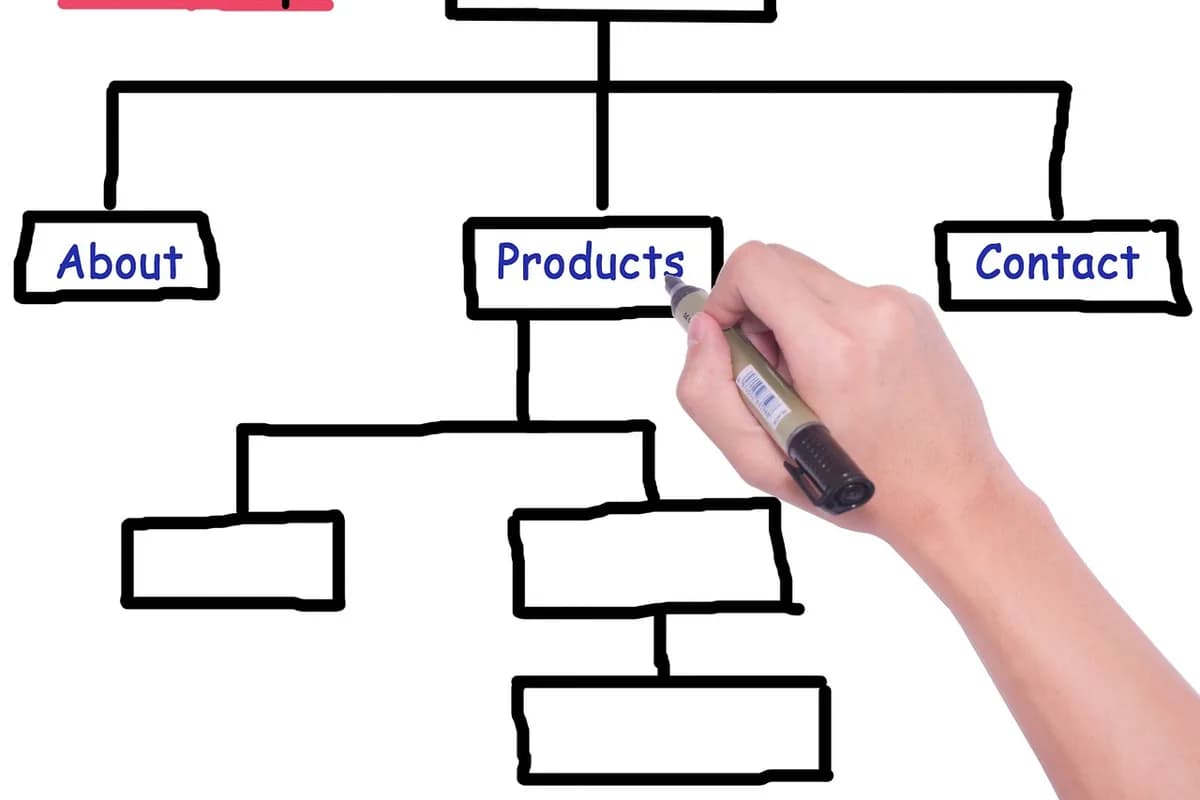
Planning a website means deciding, before you build, who the site is for, what they should do, which pages it needs and how those pages connect: the site structure, usually drawn as a sitemap. A good plan has four parts:
Who visits, and the one thing they should do.
Every page and how it links, on one page.
Its purpose, key message and next step.
Titles, URLs, accessibility and tests.
Plan your site in Evernote. The AI Assistant maps your pages, reads your clips and drafts the copy.
One sentence each: who visits, and what you want them to do. "Local gardeners book a summer workshop" is a goal you can plan around.
Write down the questions visitors ask before they act: price, times, location, what is included. Each answer needs a home on some page.
Put related topics on the same page and related pages under the same section. Google says that on sites with more than a few thousand URLs, directories can help it learn how often URLs in a directory change.
Purpose, the main message, the content it needs and the one action at the bottom. The brief becomes the outline when you write the page.
Google recommends words in the URL that are useful to users, and a title that is unique to the page, clear and concise, and accurately describes the contents of the page. Plan them with the sitemap, so they stay consistent.
Include the W3C Easy Checks (page title, alt text, headings, 4.5:1 contrast for normal-size text, keyboard access, form labels), a test on a phone, and the domain renewal date.
Here are three shapes. Pick the simplest one that fits your content.
| Structure | Looks like | Good for |
|---|---|---|
| Single page | One long page with sections | An event, a wedding, a simple portfolio |
| Flat | Home plus 4 to 6 pages, all one click away | Small businesses and services |
| Hierarchy | Sections with pages under them | Shops, blogs and growing sites |
Copy it, or save it to your Evernote account and fill it in before you pick a website builder.
Goal: [who visits] should [do one thing]
Visitor questions: [question] · [question] · [question]
Sitemap: Home > [section] ([page], [page]) · [page] · [page]
Page brief: [page] · purpose: [purpose] · message: [message] · action: [button]
URLs and titles: /[words] · [title]
Launch list: [titles] · [alt text] · [contrast] · [keyboard] · [phone test]
4.4
2,100+ reviews on G2

4.4
8,200+ reviews on Capterra

4.4
73,000+ reviews on App Store

248M
Registered users

List what visitors need to know, group related topics into pages and related pages into sections, then draw it as a sitemap with Home at the top.
In planning, a diagram of every page on the site and how the pages link. Search engines also use an XML sitemap, a file that lists a site's pages.
The goal and audience, the questions visitors ask, a sitemap, a short brief for each page, URLs and titles, and a launch checklist.
As few as cover what visitors need. For example, a small flower farm can use a hierarchy: Home, Workshops (with Schedule and Private groups), Flowers, Visit and Contact.
Google says content that people find compelling and useful will likely influence your site's presence in search results more than any other suggestion in its guide. Knowing what each page says makes the design easier.
Google recommends words in the URL that are useful to users, and a title that is unique to the page, clear and concise. Plan both with the sitemap so they stay consistent.
Anything that holds lists, notes and a diagram: paper, a whiteboard, or a notes app where you can keep the sitemap, the page briefs and the sites you like together.
Plan the site in one notebook: the page list, the sites you like and the copy for each page.
List your pages in a note and ask the AI Assistant to turn the list into a sitemap. It adds a Mermaid flowchart to the note, and you can edit the text in the block.
Clip sites you like with the Evernote Web Clipper, then ask the Assistant what flower farm sites put on their Workshops page. It answers from your clips and names the notes it used.
Ask the Assistant to write the Workshops page from your workshop details. It drafts a heading, three lines and a button label in the page note, and you accept or reject each edit.
Keep the page list, the sites you like and every draft in one notebook, and let the AI Assistant map the pages and write the first version.
Start for free