
How to write anything with Evernote
Most writing starts with scattered notes: a quote you saved, a few bullet points, a half-finished draft. Evernote keeps them in one place, so you can go from first notes to a finished piece without losing anything on the way.
Each guide below answers one writing question directly, with a worked example. It then shows how to do the same job in Evernote: start from a template, draft in a note, and ask the AI Assistant to rewrite, shorten or fix it.
Drafts stay searchable and sync to every device, so the essay you started on your laptop is on your phone when an idea comes.
What helps you write in Evernote
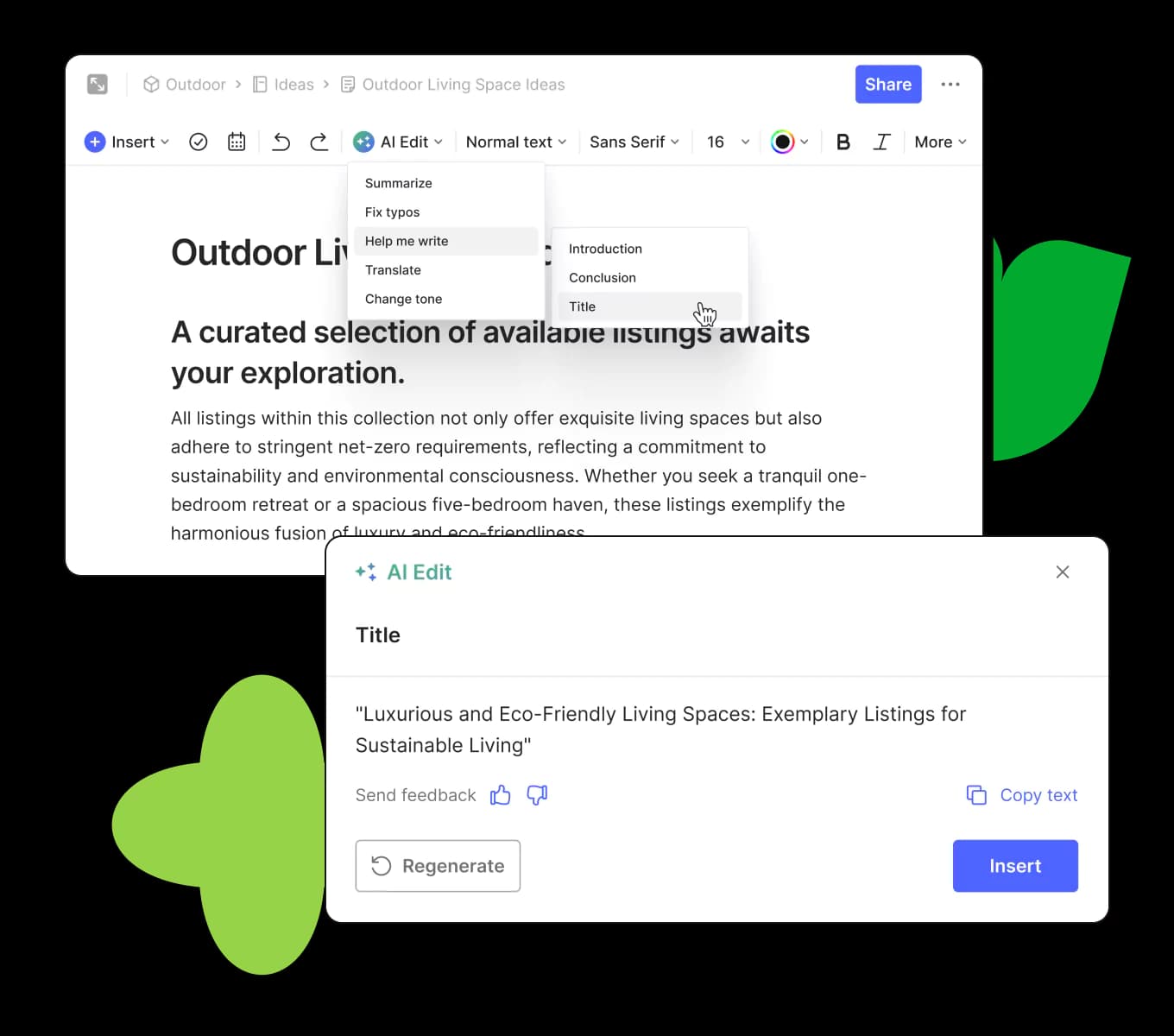
Draft and edit with the AI Assistant
Ask for a first draft, a shorter version, a new title or a different tone, in your own words. You review each change before it goes into the note.
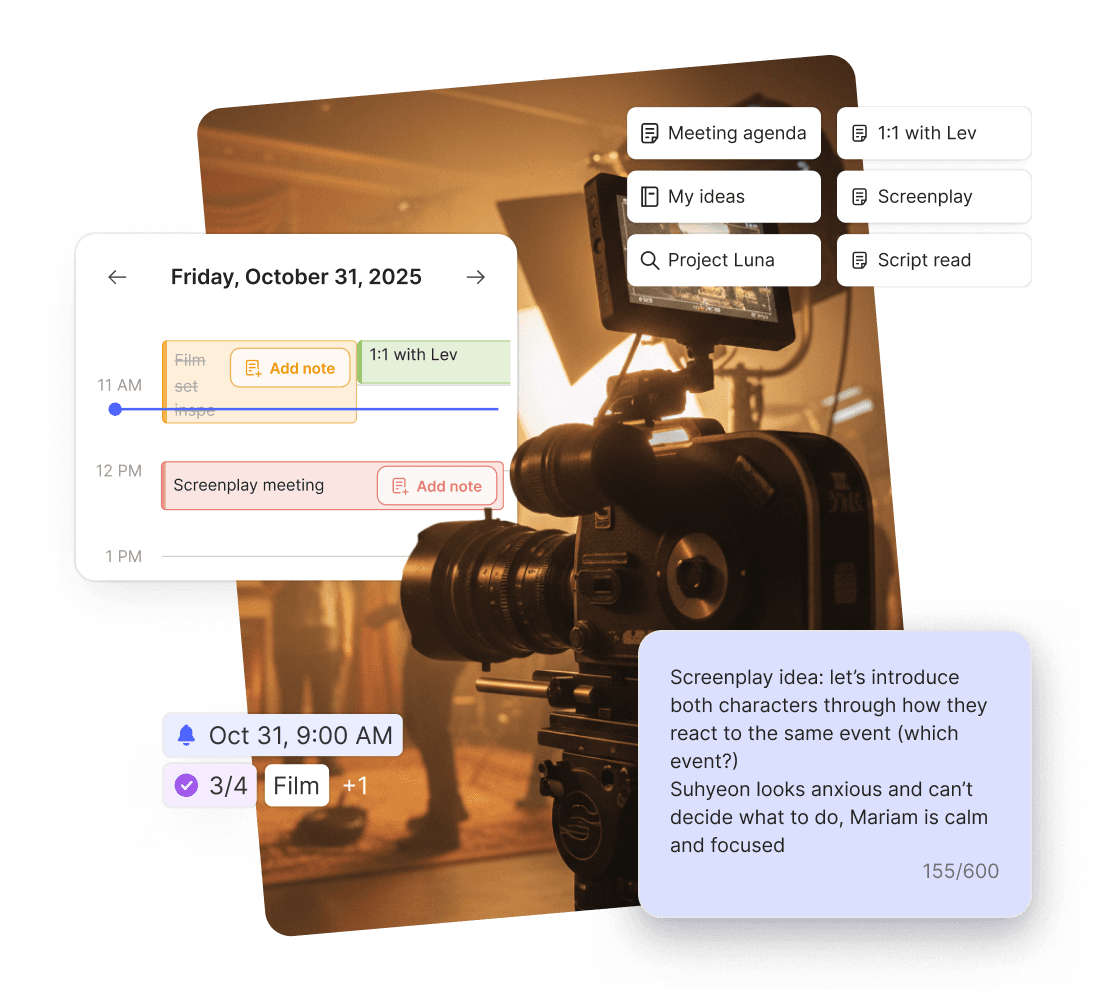
Start from your own templates
Save any note as a template: a cover letter layout, an essay outline, a meeting memo. Your next draft starts with the structure already in place.

Keep your sources next to your draft
Save articles and pages with the Web Clipper, then find them again with search. Quotes and references sit in the same notebook as the piece you are writing.
Writing
166 guides
- Can a thesis statement be a question?
- How long should a thesis statement be?
- How to restate a thesis
- How to start a thesis statement
- Thesis statement examples
- How to write a thesis statement for a research paper
- What is a thesis statement?
- Where does the thesis statement go?
- How to write a good thesis statement
- How to write a business proposal
- How to write a case study
- How to write a character letter for court
- How to write a follow-up email
- How to write a formal letter
- How to write a grant proposal
- How to write a job description
- How to write a lesson plan
- How to write a letter of intent
- How to write a letter of recommendation
- How to write a marketing plan
- How to write a mission statement
- How to write a pitch email
- How to write a press release
- How to write a problem statement
- How to write a professional email
- How to write a project proposal
- How to write a refund policy
- How to write a report
- How to write a sales pitch
- How to write a SOAP note
- How to write a social media policy
- How to write a support ticket
- How to write a thank you email
- What to write in an anniversary card
- What to write in a baby shower book
- What to write in a baby shower card
- What to write in a baptism card
- What to write in a birthday card
- What to write in a book you give as a gift
- What to write in a bridal shower card
- What to write in a card
- What to write in a Christmas card
- What to write in an Easter card
- What to write in an engagement card
- What to write in a Father's Day card
- What to write in a First Communion card
- What to write in a get well card
- What to write in a graduation card
- What to write in a housewarming card
- What to write in a Mother's Day card
- What to write in a retirement card
- What to write in a sympathy card
- What to write in a Valentine's Day card
- How to write a love letter
- How to write a postcard
- How to write a thank you note
- How to cite a journal article in APA and MLA
- How to cite sources in an essay
- How long is a thesis or dissertation?
- How to tell if a journal is peer reviewed
- What is a journal impact factor?
- How to write a research paper conclusion
- Research paper format
- How to write a research paper introduction
- How to respond to reviewer comments
- How to start a research paper
- What is a dissertation?
- What is a research paper?
- What is an academic journal?
- How to write a bibliography
- How to write a dissertation
- How to write a hypothesis
- How to write a journal paper
- How to write a lab report
- How to write a literature review
- How to write an abstract for a research paper
- Can AI write a book?
- How to write a book and get it published
- How long does it take to write a book?
- How to outline a novel
- How to start a story
- How to come up with story ideas
- How to write a biography
- How to write a book proposal
- How to write a book about your life
- How to write a novel
- How to write a short story
- How to write a synopsis
- How to write a character's thoughts
- How to write a 5-paragraph essay
- What is an analytical essay?
- How to write an argumentative essay
- How to write a book title in an essay
- What is a bridge in an essay?
- What is a call to action in an essay?
- What is a claim in an essay?
- What is commentary in an essay?
- How to write a compare and contrast essay
- How to write a DBQ essay
- How to write an essay conclusion
- How to format an essay
- How to write a hook for an essay
- How to write an essay introduction
- How to write an essay outline
- Transition words for essays
- Another word for: essay words and transitions
- How to write an expository essay
- How to write a good essay
- How long is an essay?
- How many paragraphs are in an essay?
- How to write an informative essay
- How to introduce a quote in an essay
- How to write a literary analysis essay
- How to make an essay longer
- How to write a narrative essay
- How to write a persuasive essay
- How to write a reflection paper
- How to write a rhetorical analysis essay
- How to start an essay
- How to write a synthesis essay
- How to write a theme statement
- How to title an essay
- How to start a paragraph
- What is an essay?
- How to write a CER
Job search
51 guides
- What is a cover letter?
- What to include in a cover letter
- How long should a cover letter be?
- How to format a cover letter
- How to address a cover letter
- How to start a cover letter
- Do you need a cover letter?
- How to write a good cover letter
- How to end a cover letter
- How to write a cover letter for an internship
- Cover letter examples
- CV vs cover letter: what's the difference?
- How to write a cover letter with no experience
- How to write a letter of interest
- CV vs resume: what's the difference?
- How to make your resume stand out
- How long should a resume be?
- What should a resume look like?
- What is a resume?
- What skills to put on a resume
- What to put on a resume
- How to write a resume with no experience
- How to write a resume summary
- What is an ATS-friendly resume?
- How far back should a resume go?
- Should you put references on a resume?
- How to make a resume for free
- Should you put your address on a resume?
- What is an online resume?
- How to put high school on a resume
- How to show a promotion on a resume
- How many bullet points per job on a resume?
- How to list education on a resume
- How to write a resume objective
- What is a functional resume?
- How to list certifications on a resume
- How to update your resume
- Is it illegal to lie on a resume?
- How to tailor your resume to a job
- How to write a college resume
- How to write a CV
- How to list volunteer work on a resume
- What tense to use on a resume
- How to list publications on a resume
Frequently asked questions
Can Evernote write a draft for me?

Yes. Ask the AI Assistant for a draft, such as "write a cover letter for this job ad", and it writes one you can review and insert into your note. You can then ask it to shorten, rewrite or fix the text.
Can I keep several versions of a resume or essay?
Yes. Keep each version as its own note in one notebook, or save your best layout as a template and start every new version from it.
Can I write on my phone and finish on my computer?
Yes. Notes sync across the Evernote apps on your phone, tablet and computer, and on the web.
Can the AI Assistant translate what I wrote?
Yes. Ask it to translate a paragraph or a whole note into another language, then review the result before you insert it.
Write your next draft in Evernote
Notes, sources and drafts in one place, with an AI Assistant that edits in your own words.
Start for free