
In 2025, we released more improvements than any other year in recent history, and there’s even more to come. Throughout the year, we focused on strengthening Evernote's core to make it faster, more reliable, and easier to use ahead of Evernote v11, a major update coming in early 2026. You can find the complete list of improvements here—we’ll cover the highlights below.
Here's a breakdown of our focus this year:
January-June
In the first half of the year alone, we shipped 110 improvements in just six months, from everyday refinements to bigger upgrades across several Editor, search, collaboration, customization, and AI features, along with overall performance. The result is a faster, more reliable Evernote designed to help you stay organized, productive, and creative.
July-December
In the second half of the year, we shifted our focus to building v11. V11 is the culmination of two years of laying new technical foundations, improving sync and speed, and delivering hundreds of features and refinements. It also introduces three new AI features—AI Assistant, Semantic Search, and AI Meeting Notes—with previews already rolling out to paying customers as we incorporate early feedback ahead of the full release.
Beyond that, we released 50+ additional improvements across the Editor, core workflows, and search, along with incremental improvements to new features in beta.
Below, we’ll walk you through some of the latest improvements released since June 2025 (some of which build on previous improvements from earlier in the year).
✍️ Editor and core workflows
Note-taking is at the heart of Evernote, so we continued to refine the Editor experience to feel simpler and smoother. We removed friction from core workflows like creating, organizing, and formatting notes.
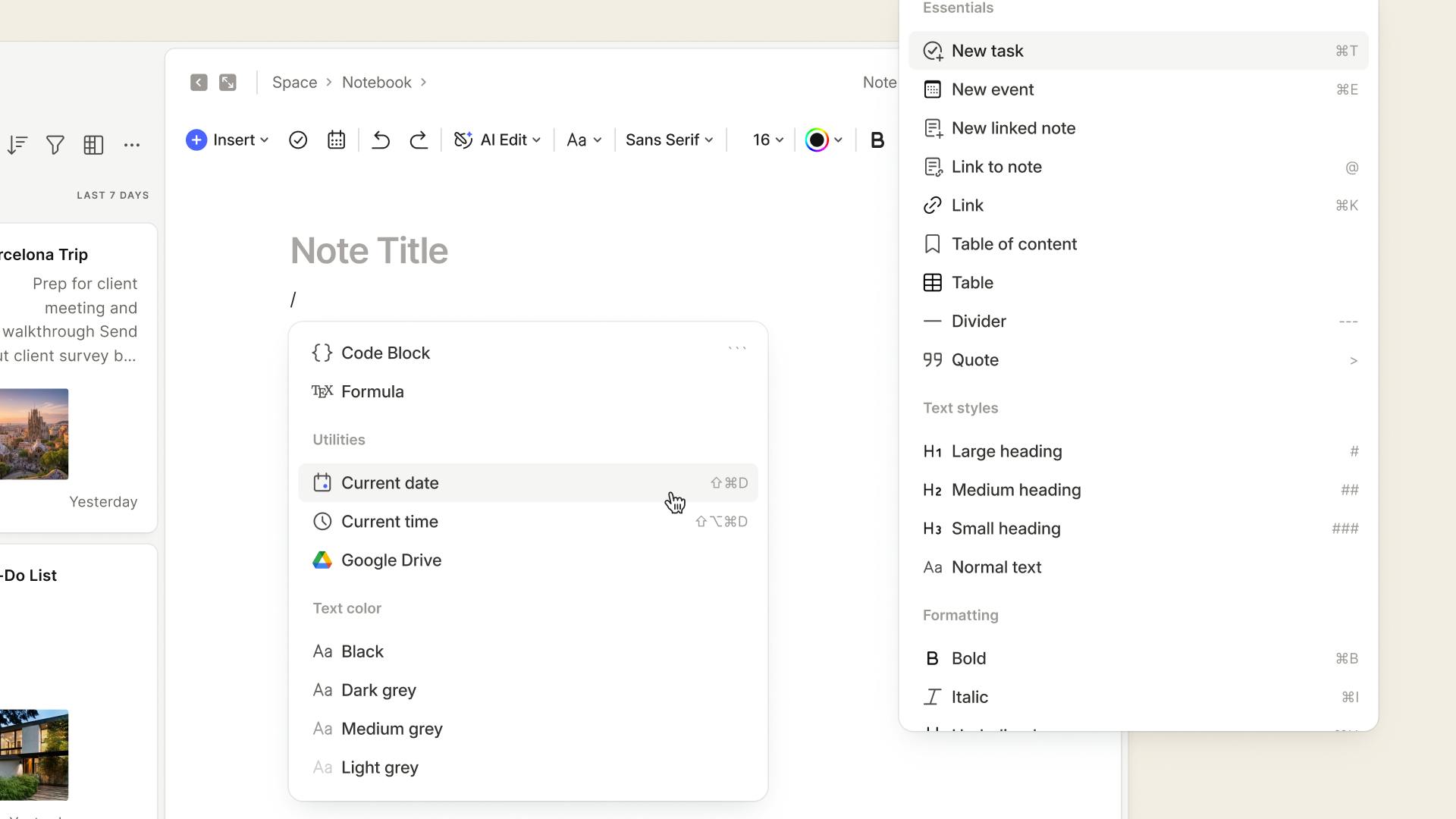
Improved slash commands. Released February-October 2025. We're constantly looking for new ways to make slash commands more versatile and useful. You can now:
- Activate the slash command menu inside of headers and tables
- Fix a typo in your command without needing to re-trigger the menu
- Type with confidence, knowing that adding / between letters will no longer trigger the menu by mistake
After making slash commands easier to use, we expanded what you can do with them. We added 16 new options to speed up note-taking while typing, including dynamic date mentions (@Today), Google Calendar events, audio recordings, and more formatting tools.
Improved markdown support for consistent formatting. Released February-November 2025. When you copy and paste content into Evernote, it now keeps key formatting like bold and italics, headings, lists, links, and block quotes. As of November, formatting for pasted tables and bulleted lists stay intact too.
[Mobile] Improved note headers. Released July 2025. Note details are now easier to scan at a glance. You can also add tags from the top of a note, without digging through menus.
[Mobile] Multi-select notes. Released August 2025. You can now select multiple notes at once on Mobile. Open the ⋯ menu in any note list, then choose Select notes to take bulk actions.
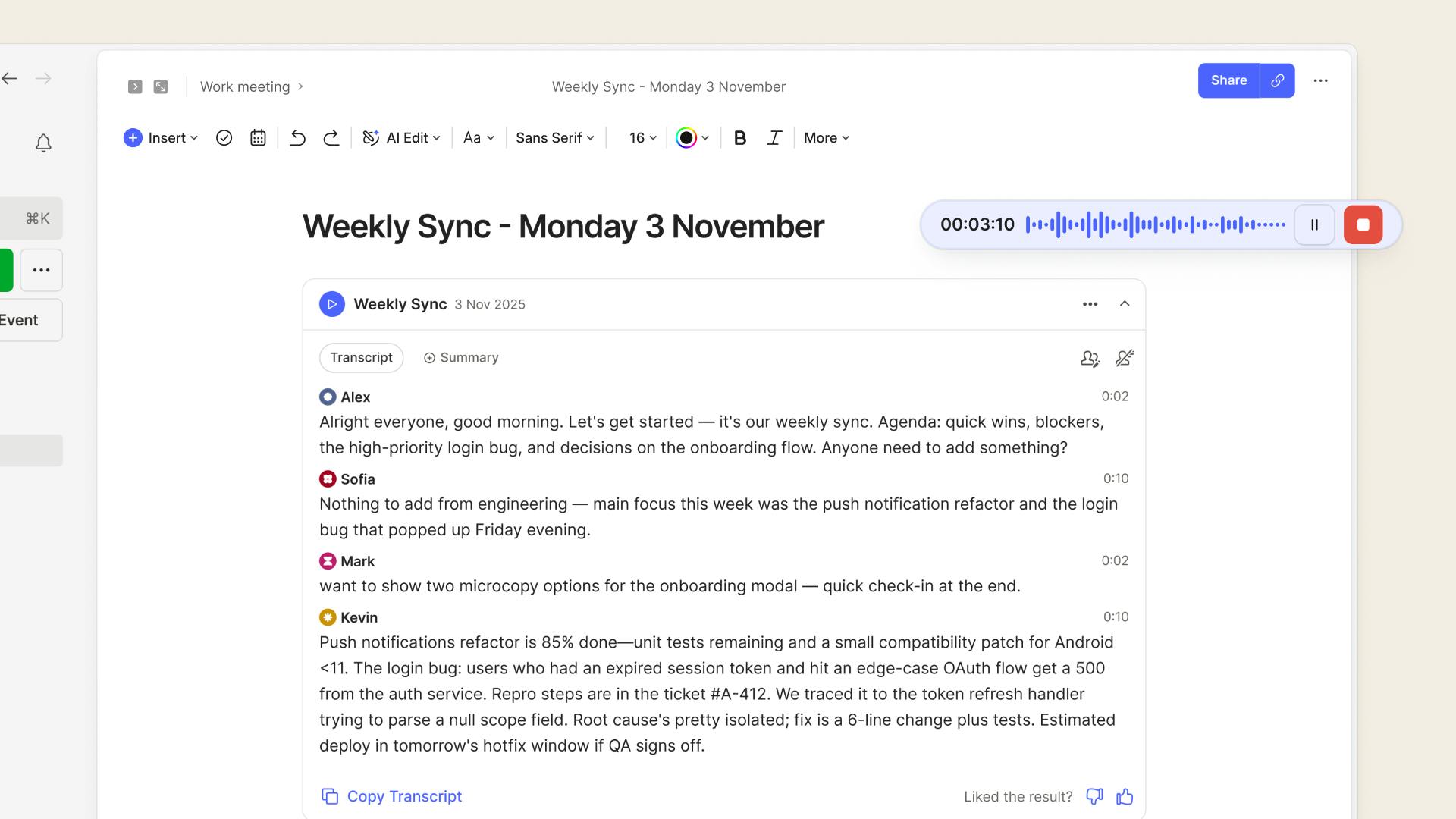
A smoother audio recording experience. Released September-October 2025. Audio recording is easier to access and control. You can now:
- Pause and resume recordings
- Start a recording from the Insert menu and slash commands
- [Desktop] Navigate to other notes and outside of Evernote while recording
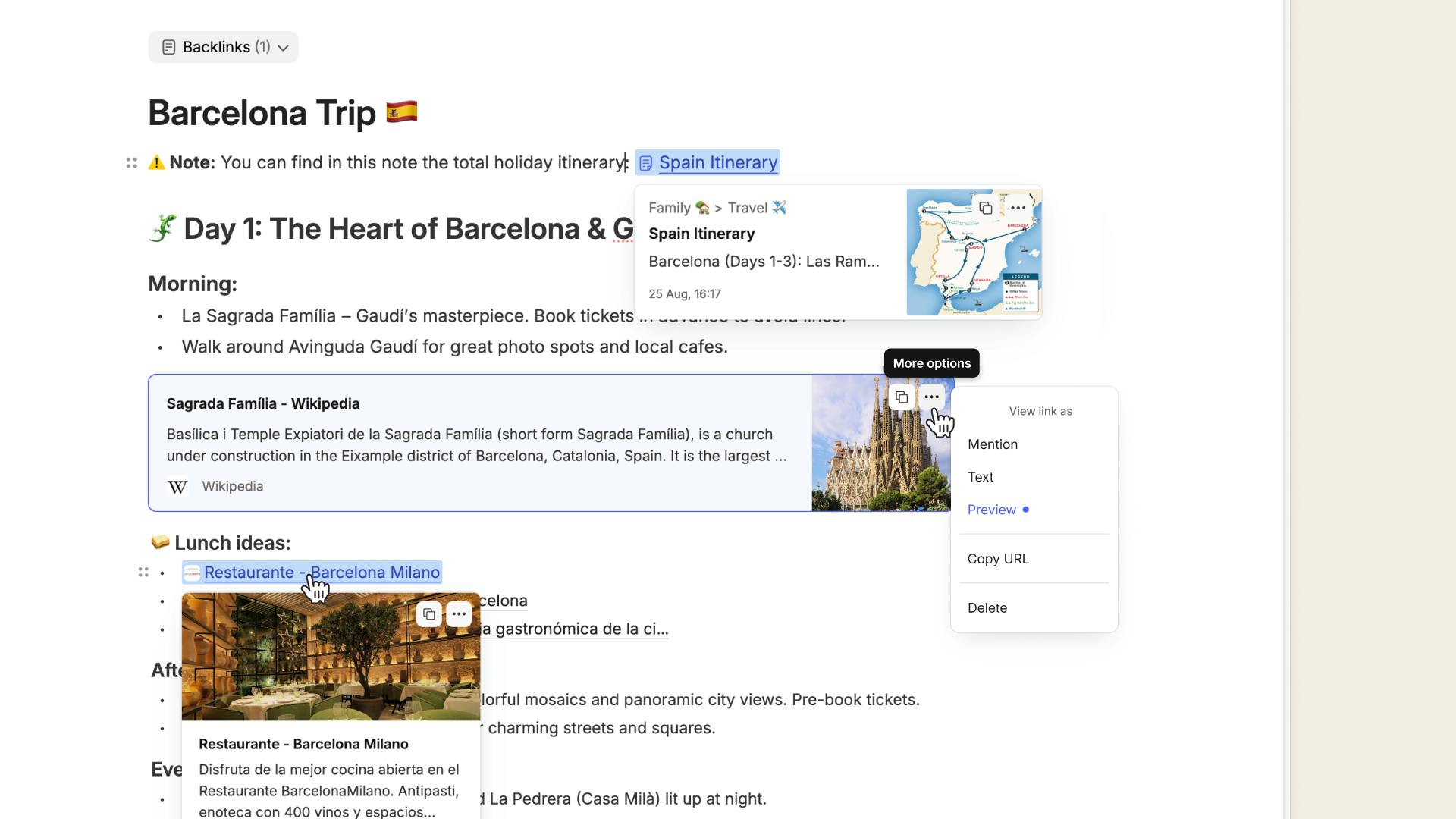
Better link display options. Released December 2025. Links are now easier to recognize and customize in your notes. Choose how they appear: as a mention, plain text, or a content preview. And when the title of the linked content changes, the mention updates automatically.
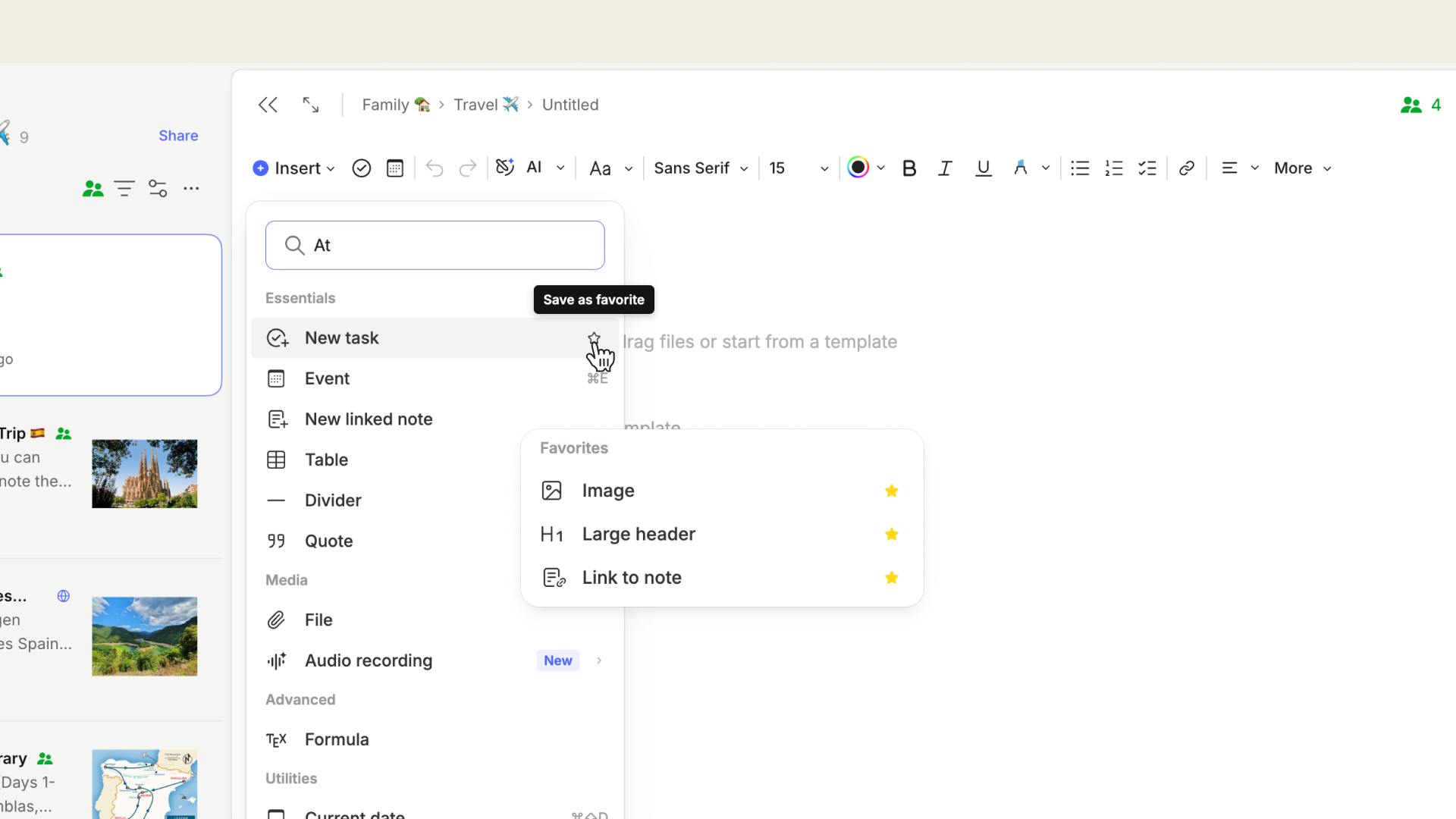
Improved Insert menu. Released November 2025. We made the Insert menu easier and more intuitive to use, so you can add what you need with just a few clicks.
You can now search for items in the Insert menu on both Mobile and Desktop, and pin your favorite tools to the top of the list by tapping the ⭐. You can also insert text styles and list items directly into your notes.
Keyboard shortcuts for each tool are now clearly visible, making it easier to edit as you type.
Perform inline calculations. Released November 2025. Evernote can now do basic math as you type, so you can make helpful calculations without leaving your note. Choose if Evernote shows calculation suggestions when you type "=" in Settings > Preferences > Notes.
Enter focus mode when writing. Released November 2025. Minimize distractions by automatically hiding the toolbar while typing in a note. It reappears when you move your mouse again, so you can easily access tools when needed. You can control this setting in Preferences > Notes.
Improved Calendar management. Released December 2025. We modernized how events and tasks appear in your calendar, with a new pop-up that makes it easier to view and edit details. Select any item to:
- Create a linked note for an event
- Mark a task as complete without leaving the calendar
🔍 Search
Creating great notes is only half the story—it’s just as important to find them quickly later. Over the course of the year, we improved the core search in Evernote so you can surface right content in fewer steps.
What improved this year, released June-September 2025:
- A refreshed search modal with more room to browse results
- Smarter suggestions as you type, including more than just notes
- More complete results, so you can keep scrolling when you need to
- Clearer in-note matches, so it’s easier to spot what you’re looking for
- New keyboard shortcuts to navigate to a search from anywhere on your device
Improved filtering. Released December 2025. We streamlined search filters with a more compact filter menu and a clearer view of your active filters to keep your results front and center. When you search in your Tags and Filters, your search stays visible while you scroll results.
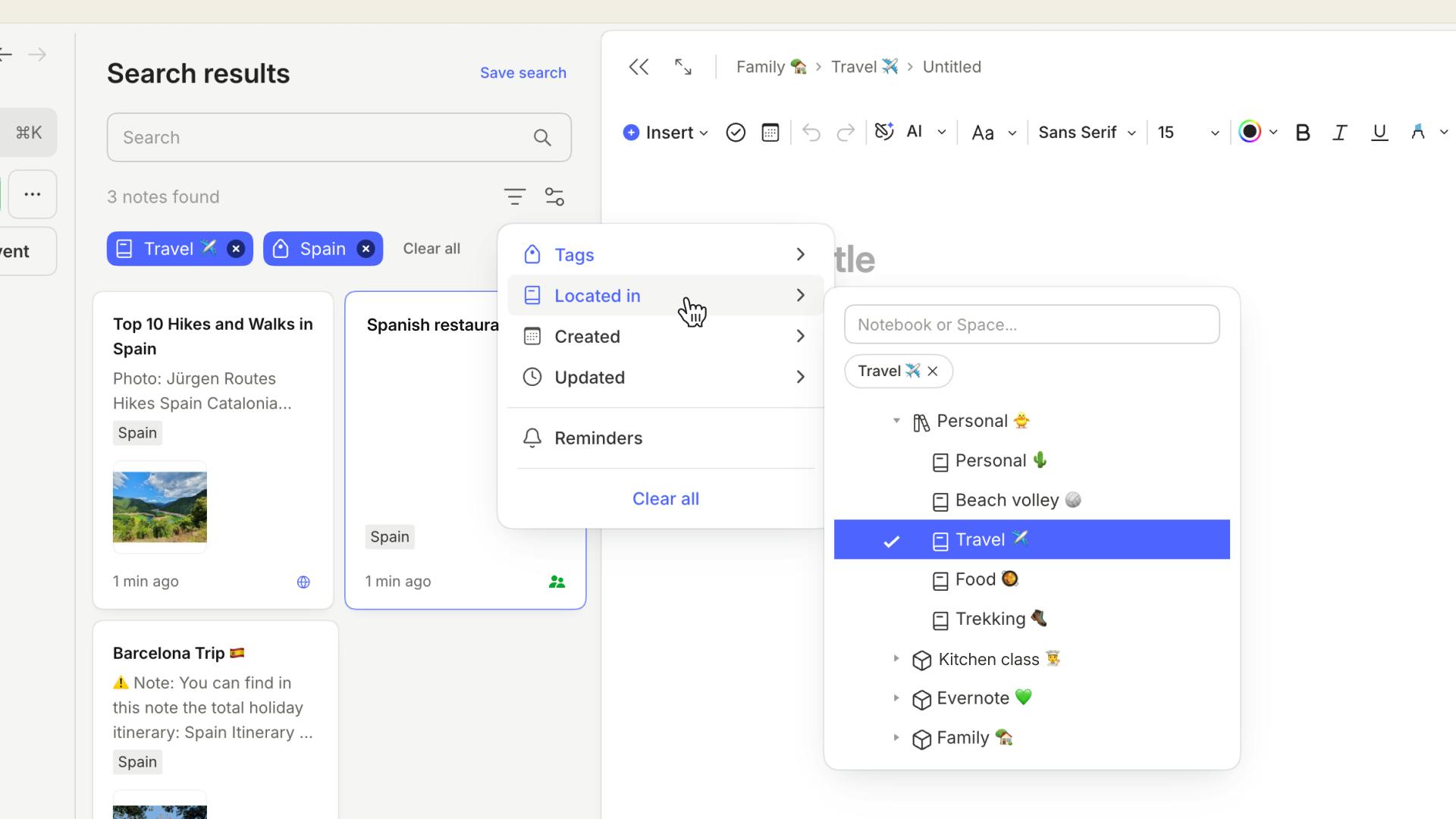
Coming soon… Search will be more powerful than ever in 2026—keep reading to see what’s next.
🎨 Look & Feel
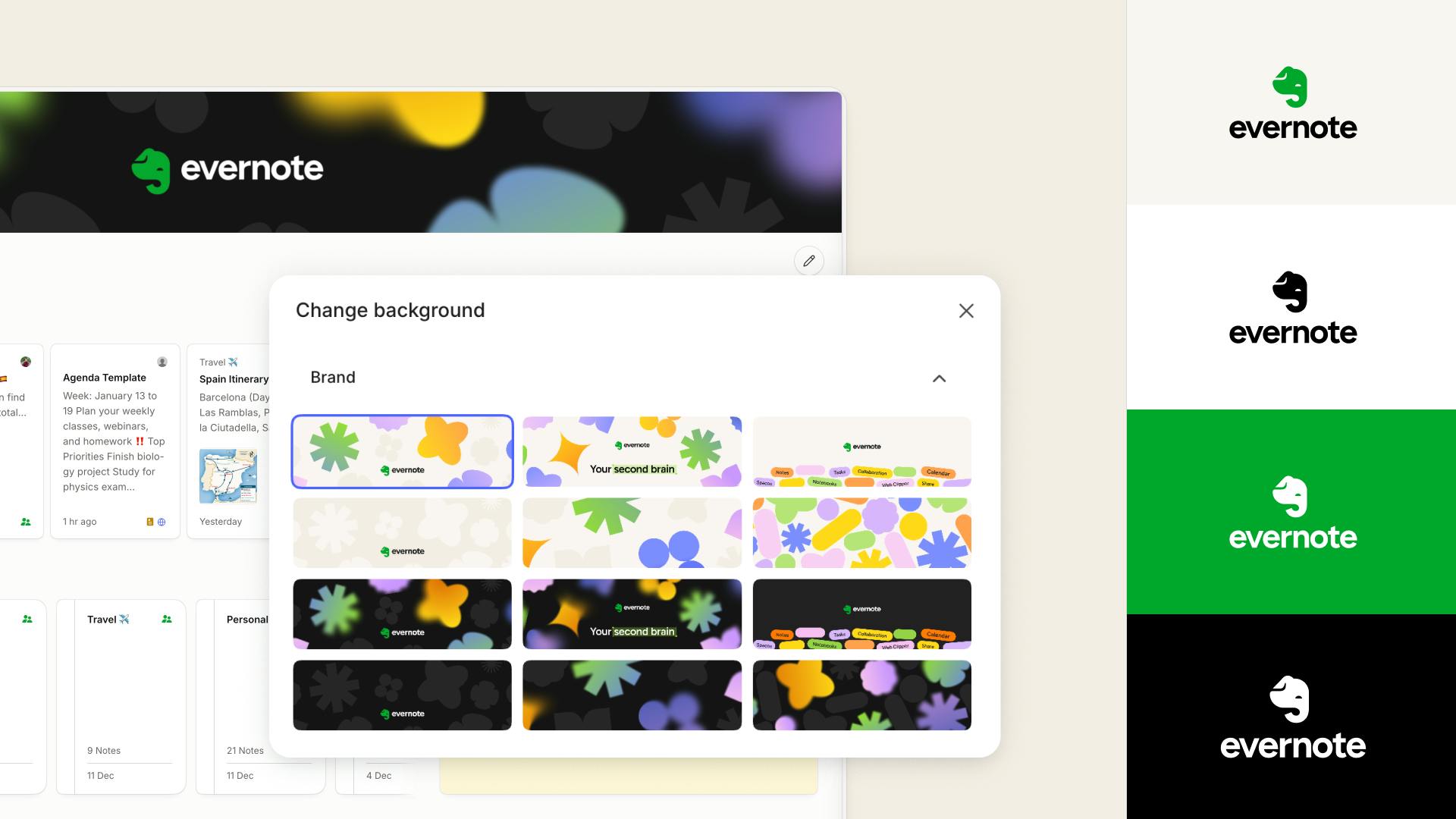
Released October 2025. We gave Mads, our beloved green elephant , a fresh new look. We also fine-tuned everyday details across Evernote to make it feel smoother and more intuitive, from redesigned icons to a repositioned account menu in the sidebar. We also brought our modern new look to Evernote.com.
Setting the stage for v11
V11 has been several years in the making: each improvement we've made since 2023 has brought us one step closer to this landmark release. Most recently, preparing for v11 also meant indexing 3.2 billion notes in Evernote's backend to make sure our newest AI features will work correctly.
Product lead, Federico Simionato, explains how this process works and demos the new AI Assistant, AI Meeting Notes, and Semantic Search features in our latest video.
Previews of AI Assistant, Semantic Search, and AI Meeting Notes are already rolling out to paying customers in Evernote v10, and we’re excited by the positive response we’ve received so far. Over the past months, we’ve been putting the finishing touches on these AI features based on your early feedback to make sure they're ready for the official launch.
⚡New AI features are coming in v11
Three new tools—AI Assistant, Semantic Search, and AI Meeting Notes—are built to fit seamlessly into your existing workflows, helping you save time, stay focused, and move from idea to action faster.
AI Assistant
Built in close collaboration with OpenAI
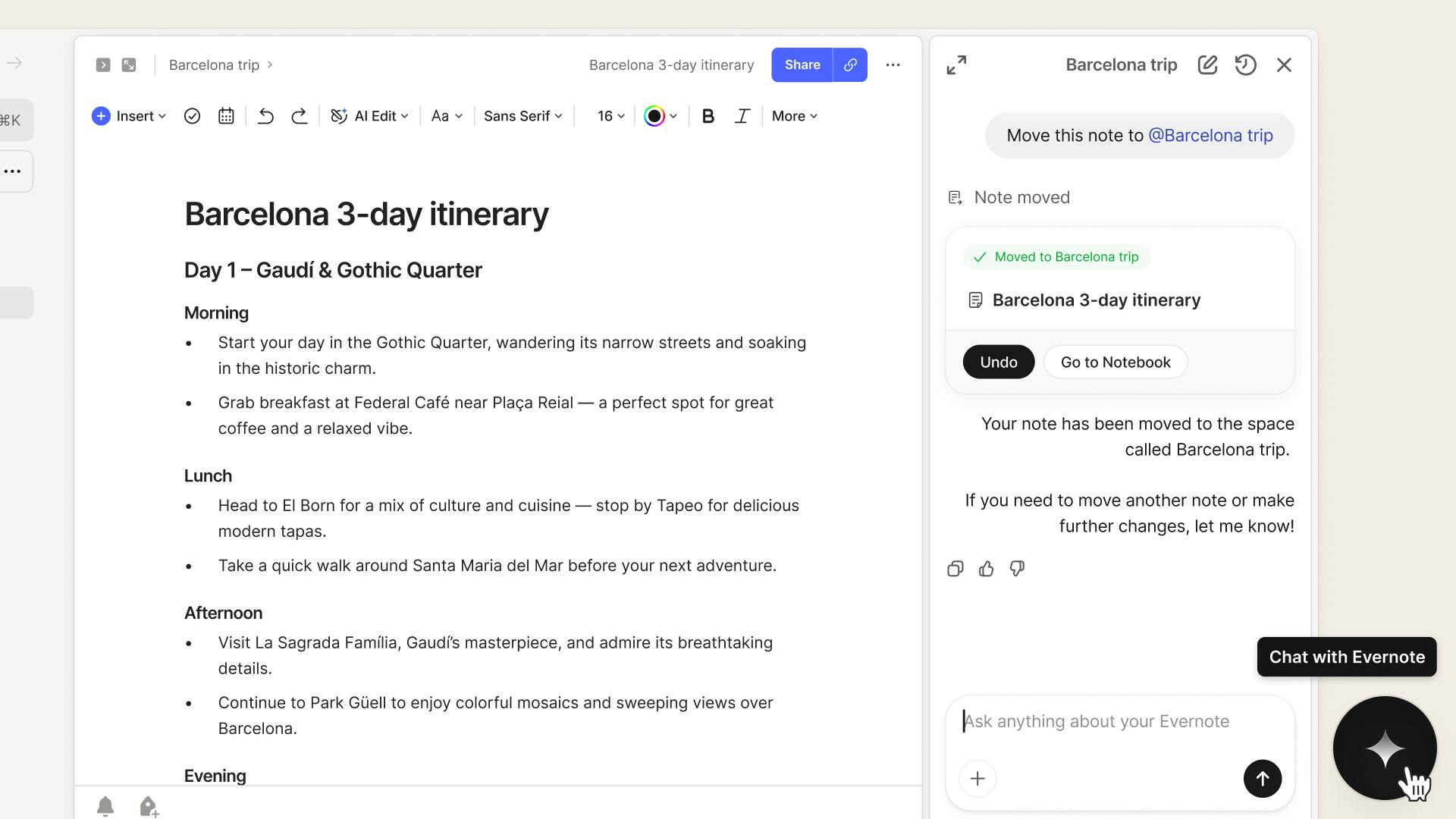
AI Assistant helps you stay organized, manage your tasks, create content, and retrieve the right information through a simple chat. AI Assistant understands your notes and can search the web to answer your requests intelligently.
The final touches we’re adding:
- Mention notes, tasks, tags, and more with @
- New keyboard shortcuts to jump straight to AI Assistant
- The option to regenerate a response with one click
Semantic Search
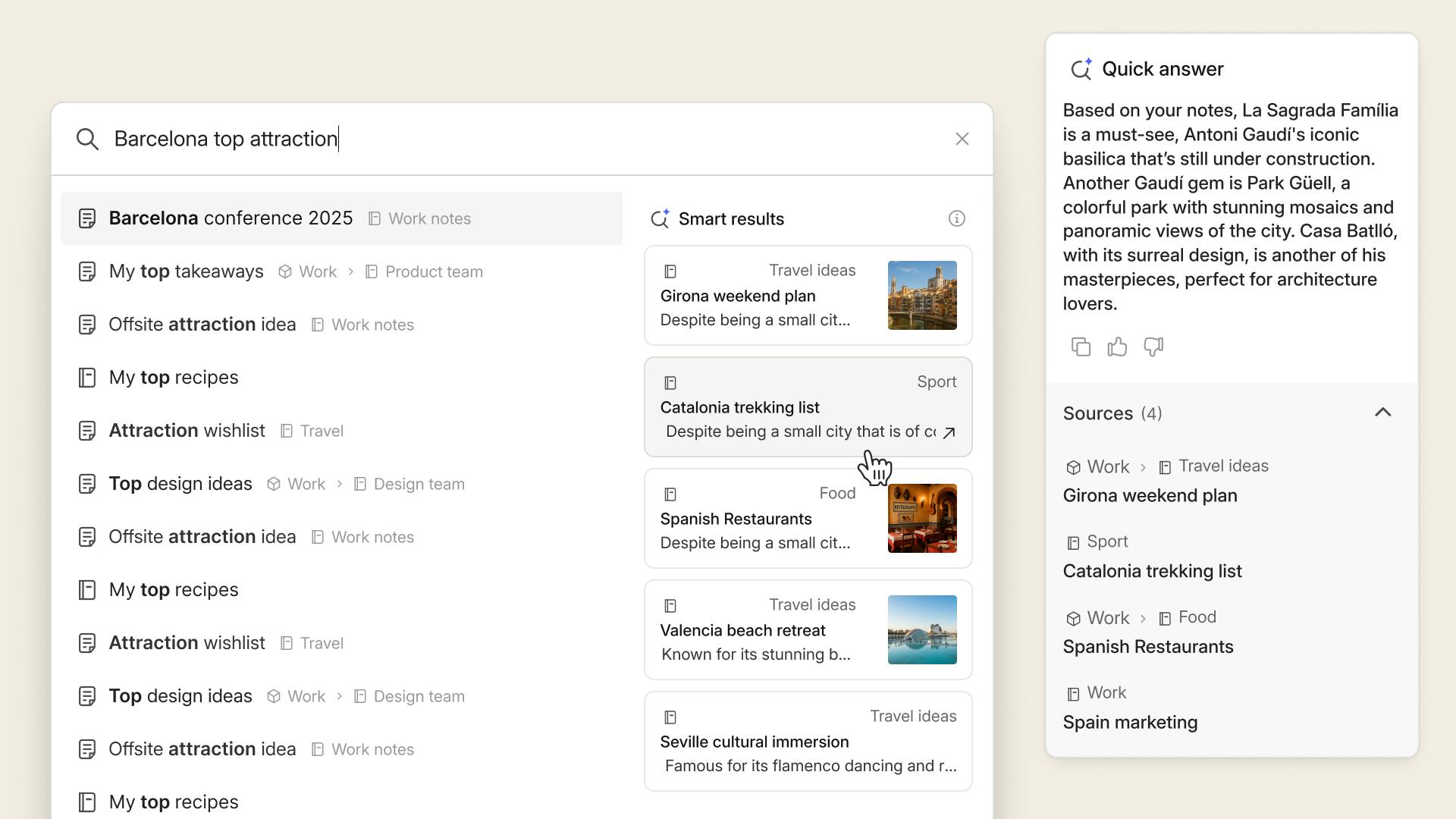
Describe the idea, topic, or task you’re looking for, and Semantic Search will find the most relevant notes, even if the phrasing doesn’t match.
The final touches we’re adding:
- AI summaries that highlight key results
- Arrow-key navigation to move through results
- A Load more results button to see additional matches
AI Meeting Notes
Automatically turn recordings into meeting notes. AI Meeting Notes transcribes your audio, summarizes the key points, and recognizes speakers so you can assign names and keep everything clear.
The final touches we’re adding:
- Regenerate a transcription with a different setting
- Cue Evernote to remember your preferences for your next recording
- Select the language of your recording, and automatically translate the transcription
💡 We’ve added AI Settings in Preferences so you can tailor AI features to your workflow, including turning individual tools on or off. Learn more here →
What's next in 2026?
In 2025, we found our stride, with a steady stream of meaningful improvements contributing to an overall better experience and setting the stage for what’s next.
As we head into 2026, we’re excited to keep shaping Evernote into a smarter, more intuitive workspace that supports how you think and work every day, starting with v11!
For updates, follow us on X, YouTube, and product.evernote.com, where we share new features on a rolling basis.
Until next time,
💚 The Evernote team