

Your notes hold the details you need later: what a client asked for, the perfect lasagna recipe, the hotel receipt for your next trip. Meta Muse is a personal AI agent that takes on tasks for you across the apps you use. Connect the two, and Muse can find and read your notes and bring the details into your chats with Muse. Muse can then save what you create in those chats back into Evernote, as new notes or edits to the ones you have.
You can talk to Muse in the Muse app, on muse.ai, or in WhatsApp. Here are seven ways you can use Muse to make Evernote work better for you.
Muse works with Evernote on all paid Evernote plans.
🧩 What Muse can do with your notes
Once you connect Evernote, Muse can search your notes by keyword or by meaning, read them, and open their attachments. It can create and edit notes, move them into notebooks and Spaces, add tags, and create or update tasks.
Muse also works with the other apps you connect, like your email and calendar, and it can browse the web. So one request can combine what's in Evernote with what's happening everywhere else.

💬 Capture from wherever you are
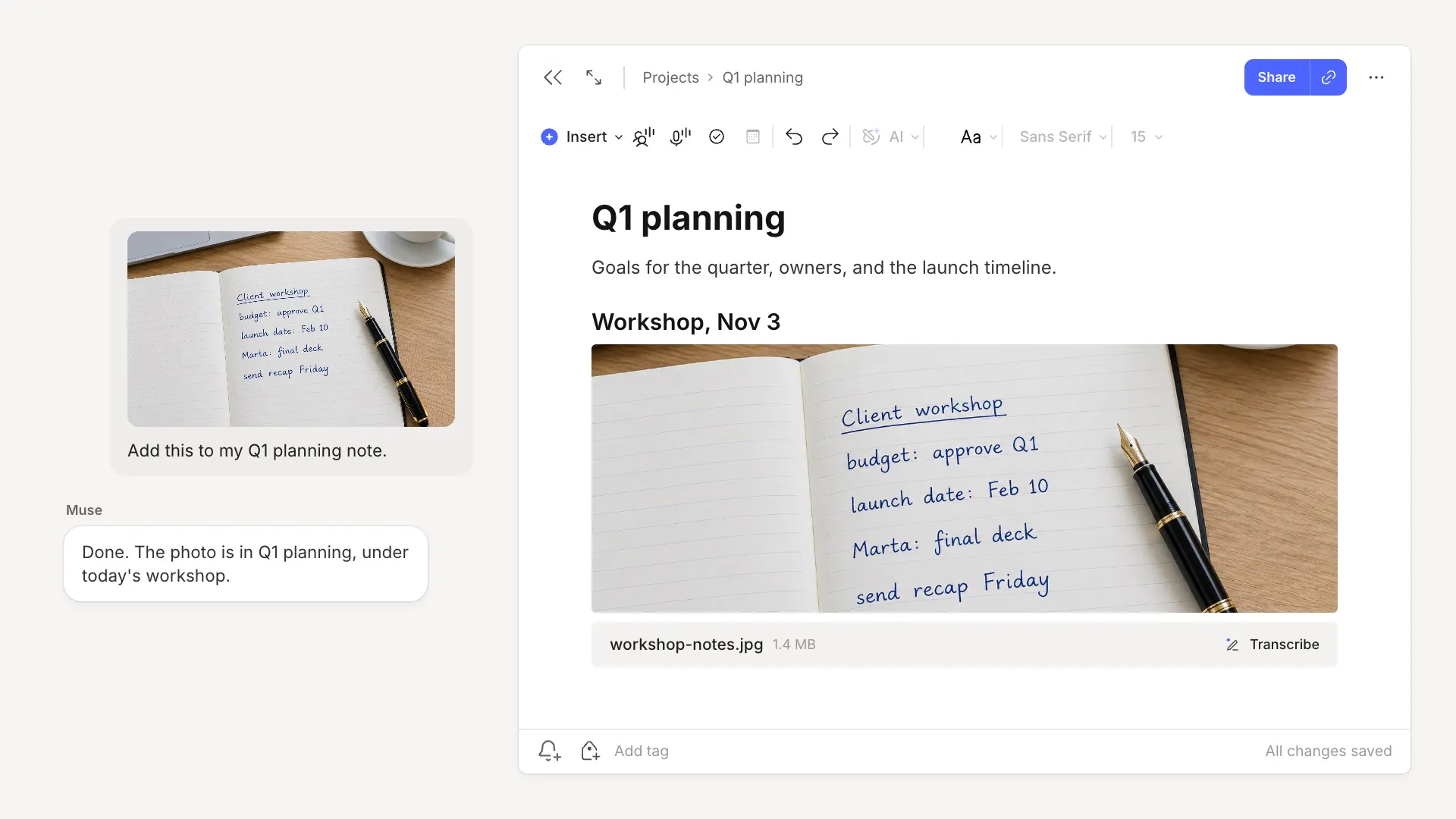
Add to a note from WhatsApp. Send Muse a photo of the handwritten notes you took in a workshop and write "add this to my Q1 planning note." Like any image in Evernote, the photo becomes searchable, handwriting included.
File what lands in your inbox. Emails you'll want later, like receipts and invoices, get buried in your inbox. Ask Muse to "save this year's receipts and invoices from my Gmail to my Taxes 2026 notebook, tagged by month," and each receipt and invoice becomes a note you can find in seconds.
Keep your reading with your notes. If you collect highlights in Readwise or another connected reading app, ask Muse to "bring this month's highlights into Evernote, one note per book, tagged by topic," so the highlights sit next to your own notes on the same topics.

📅 Get ready, then follow through
Prepare for every meeting. Muse can check your calendar and find your notes on each client or project. Ask it to "Send me a one-page brief for each of tomorrow's client meetings, using my Evernote notes. Include what we agreed last time, the open tasks, and what I should ask."
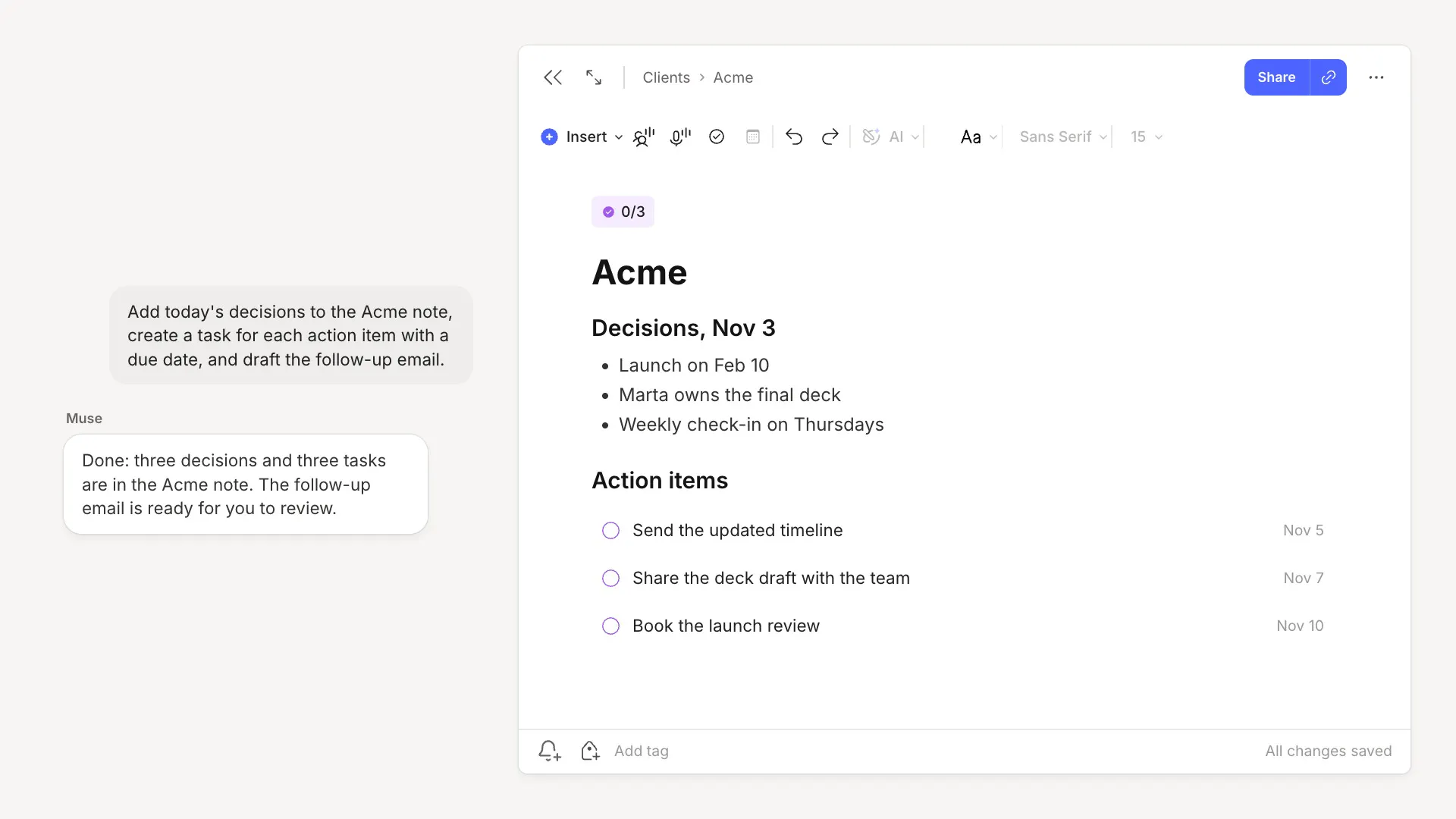
Turn decisions into tasks. After the meeting, ask Muse to "go through the transcript in today's Acme meeting note, add the decisions to the note, create a task for each action item with a due date, and draft the follow-up email." The tasks show up in the note and in your Tasks view. Muse shows you the follow-up email before sending it.

✅ Put your notes to work
Use what you've saved. Receipts, warranties, and other paperwork often hold the details you'll end up needing in the future. Ask Muse to "find the receipt and warranty for my dishwasher in Evernote and start a repair request on the manufacturer's site." Give Muse the repair form, and Muse can fill in the details from your notes, then check with you before submitting the form.
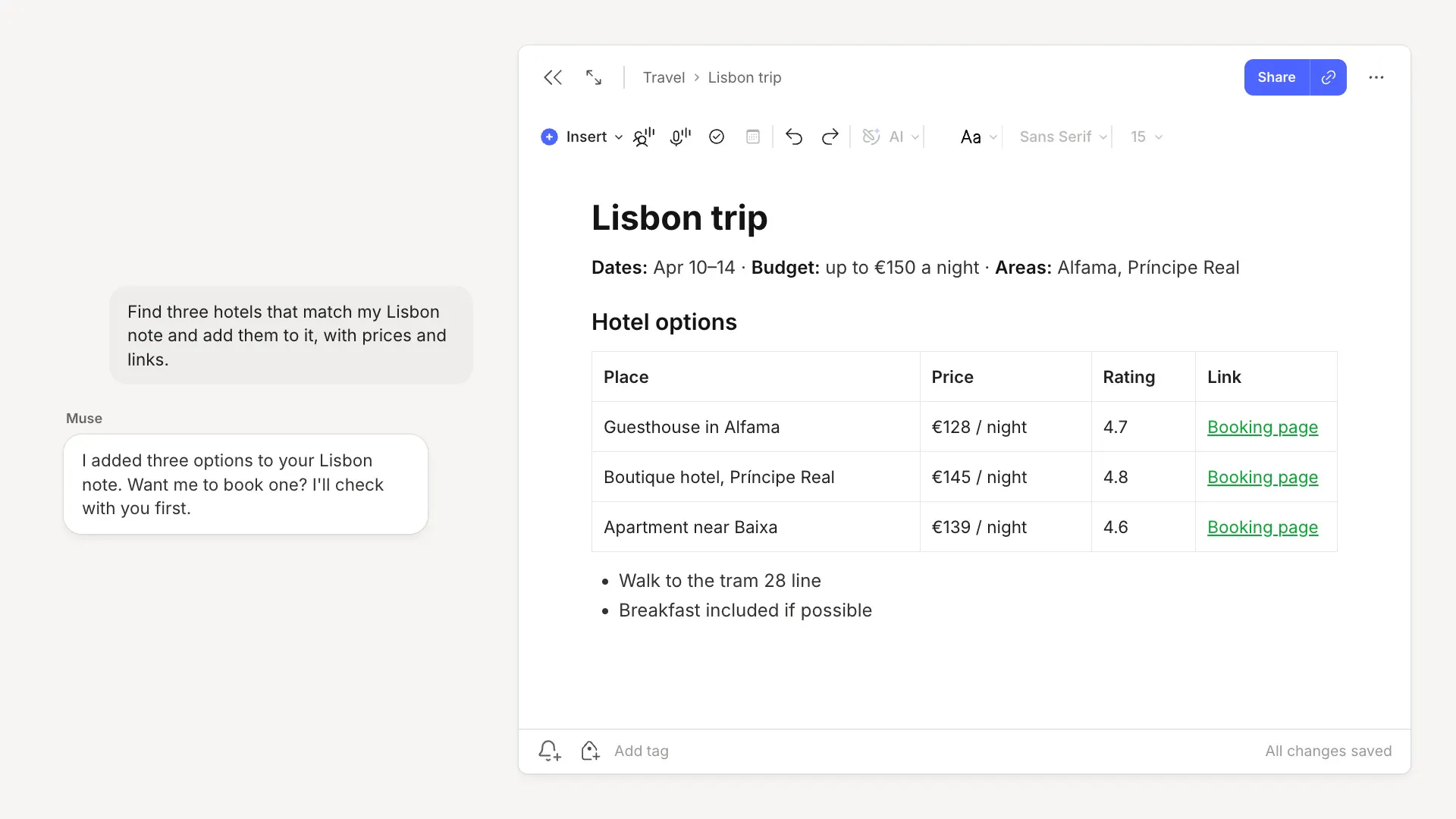
Plan from your own notes. A trip note usually has the dates, the neighborhoods you liked, the places you want to visit, and your budget. Ask Muse to "find three hotels that match my Lisbon note and add them to it, with prices and links." Then compare them in Evernote and decide when you're ready. Muse asks before booking anything.
⚙️ How to connect
- In Muse, open Settings → Connectors
- Search for Evernote and select Connect
- Sign in to Evernote and allow access
🔒 You stay in control
In Muse, open Settings → Connectors → Evernote to choose what Muse can do, whether that be searching and reading your notes, downloading attachments, managing your notes, or moving notes to the trash or deleting tasks. You can set each action to Allow or to Ask. With Allow, Muse goes ahead on its own. With Ask, Muse checks with you first. Muse also asks you to confirm before sensitive actions, like sending an email or making a purchase, so nothing is sent or purchased until you approve.
Meta processes your notes under the Muse Supplemental Terms of Service. You can disconnect Evernote from Muse at any time in Settings → Connectors → Evernote.
Hopefully this blog's examples have given you some inspiration on how to use Muse to make Evernote work better for you. Tell us how you'll use Muse with Evernote on X and Reddit.
Thanks for being part of Evernote,
💚 The Evernote team