

Evernote v11 is here! 🚀⭐🔥💥
This long-awaited update marks the first significant Evernote release since v10 was introduced in 2020. In addition to the many improvements already introduced to Evernote since 2023, v11 is full of exciting updates. Hear all about it from Federico, our product lead, in our latest video, or keep reading.
An important milestone for your second brain
V11 isn’t just a new release: it’s a recognition of how far Evernote has come in recent years. We started by laying important new technical foundations, after which we released more than 250 new features and improvements (see the most recent ones here) while also greatly enhancing sync, speed, and reliability. V11 is the start of an exciting next phase of even greater development and innovation.
As before, Evernote remains a powerful tool for note-taking, organization, and information management with the use of simple content building blocks, such as notes, notebooks, spaces, tasks, and tags. With v11, we’re one step closer to realizing our mission to create an intuitive and personalized platform that acts as a second brain for our customers.
Most notably, this release introduces three powerhouse AI features: AI Assistant, Semantic Search, and AI Meeting Notes. All are designed to bring you AI in ways that are useful and uniquely aligned with Evernote’s core strengths to unlock smarter note-taking, organization, and productivity. We thank the many long-time and passionate Evernote users who helped us shape these features.
Along with our cutting-edge new features, we’ve also unveiled a modern new look and logo and updated plans for individual and business users. And, as always, we’re already working on further improvements across the entire platform—starting with a better Editor and navigation experience—as we expand on the long list of updates already released since early 2024.
Keep reading for a deep dive on all the exciting things included in v11 or—even better—download the latest version and explore them for yourself!
Three powerful new AI features
With v11, your Evernote is now smarter than ever. Use our latest AI features to generate, manage, optimize, and quickly retrieve content so you can save time, minimize distractions, and streamline workflows, both within Evernote and across multiple tools.
These new features benefit people of all backgrounds and experience, but can be especially powerful for long-time users with a large amount of information stored within Evernote.
Let’s explore each one separately:
AI Assistant
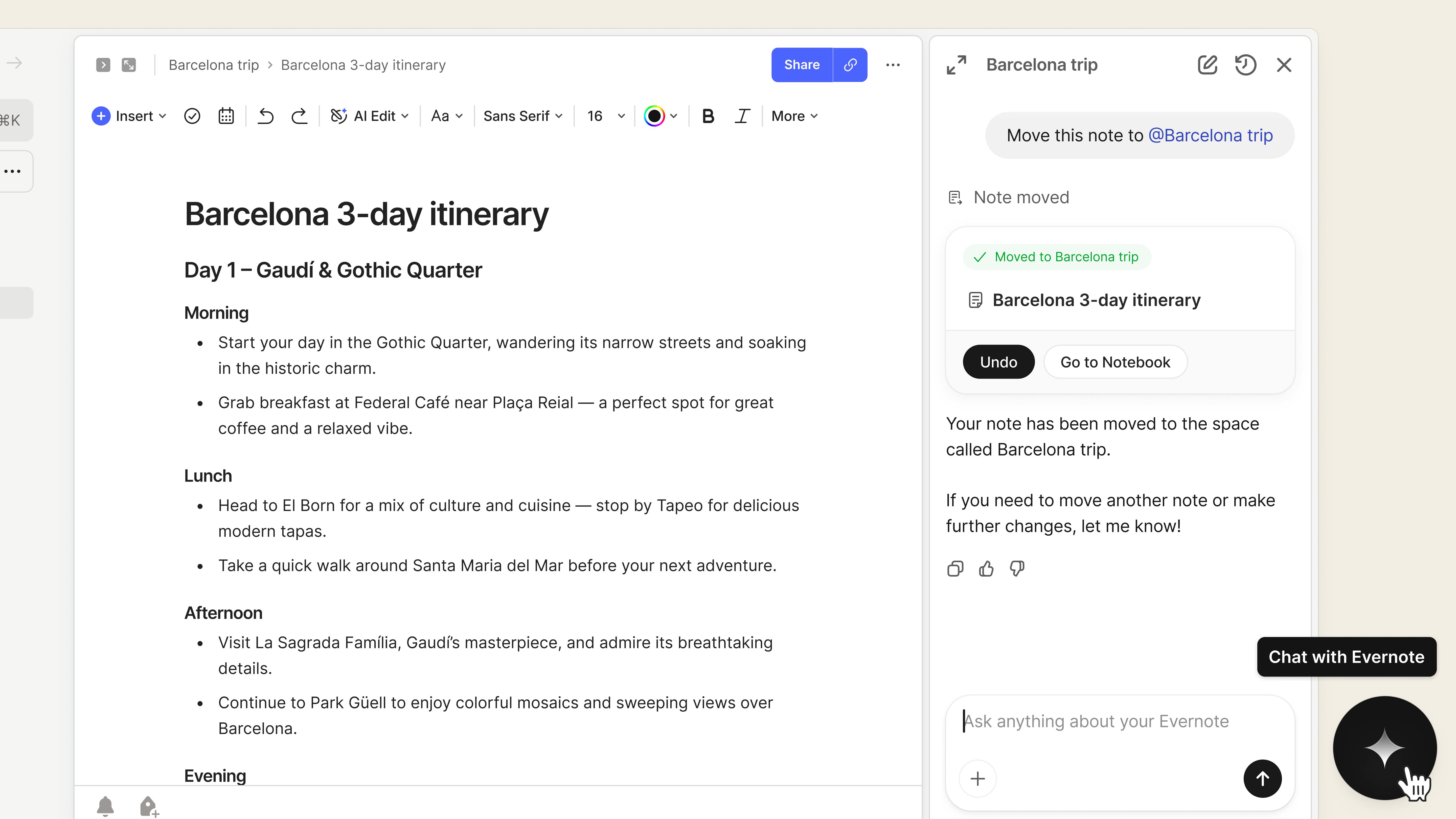
Developed in close collaboration with OpenAI, AI Assistant brings the power of large-language models directly into Evernote. Using the new chat feature, you can prompt your AI Assistant to help you in a variety of situations (below we included an example for an upcoming trip to Barcelona).
- Search and retrieve content directly from the chat window. AI Assistant integrates Evernote’s extensive search functionalities to easily surface relevant content throughout the course of the chat, either by listing the note(s) or via an excerpt.
Find all my notes related to my upcoming Barcelona trip
Tell me the flight number and departure time
- Modify or generate content. Ask AI Assistant to extract the key points, identify action items, create summaries, rewrite and rephrase content, and more.
Create a 3-day itinerary based on my notes
List the incomplete tasks in my @Packing list note
Turn the “transit” section of my note into a table
- Execute actions across the account. Today, AI Assistant can generate text in new or existing notes, move notes between notebooks or spaces, add existing tags, and find related, context-based information. Soon, AI Assistant will also be able to suggest tags, create and update tasks, and perform bulk actions across multiple notes.
Create a new note with my itinerary
Move it to my @Barcelona notebook
Add @travel-plans tag to this note
- Search the web without leaving the Evernote environment. Ask your AI Assistant to surface helpful additional information and context that can enhance your content and decision-making.
Suggest additions to my itinerary that aren’t in my notes
Anything else I should know about before I go?
AI Assistant is the ultimate conversational companion for any Evernote user, whether you’ve been using the product for ten days or ten years.
AI Assistant is available on Desktop and Web for all Evernote v11 customers. Start a chat from anywhere in Evernote by clicking the button in the lower-right corner. Learn more in the how-to guide.
Semantic Search
Evernote’s search functionality has historically relied on keyword-based queries, which made it difficult to find the right content without the right search term.
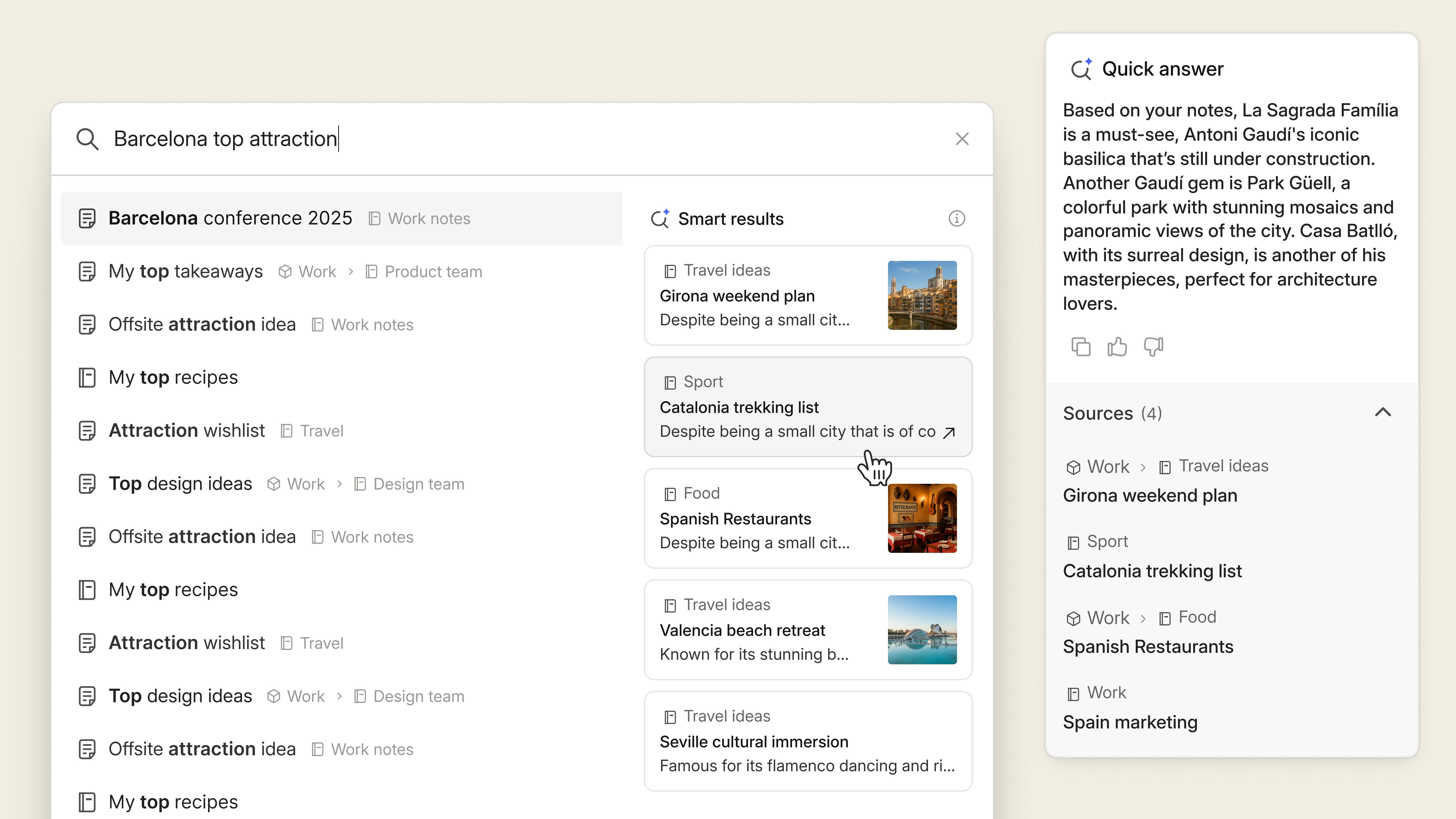
We made our first pass at natural language-based search in 2023 with AI-Powered Search. With v11, we’ve integrated a much more powerful AI process to bring you a fully semantic search experience: Searches will now surface information that doesn’t necessarily match your keywords.
Put simply, Evernote now knows if the meaning of your notes is related to your search, and includes the content in your results. For example, searching for “Spain vacation” can surface notes for “Barcelona Trip” and “Valencia Hotel”, even if the terms “Spain” and “vacation” are not included in the resulting notes.
Semantic Search can also identify key details from notes and display them prominently, making it easier to retrieve important information at a glance. For example, searching for “Barcelona flight confirmation” would result in a response of “Your flight ticket for the upcoming Barcelona trip is NS671WU”, including links to the relevant notes.
Semantic Search transforms information retrieval in Evernote—a core component of knowledge management within the platform. It was one of the most frequent customer requests from the past decade and we’re incredibly proud to finally bring it to our user base.
Semantic Search is available on Desktop, Mobile, and Web for all customers using Evernote v11. You’ll find it where your regular search is. Learn more in the how-to guide.
AI Meeting Notes
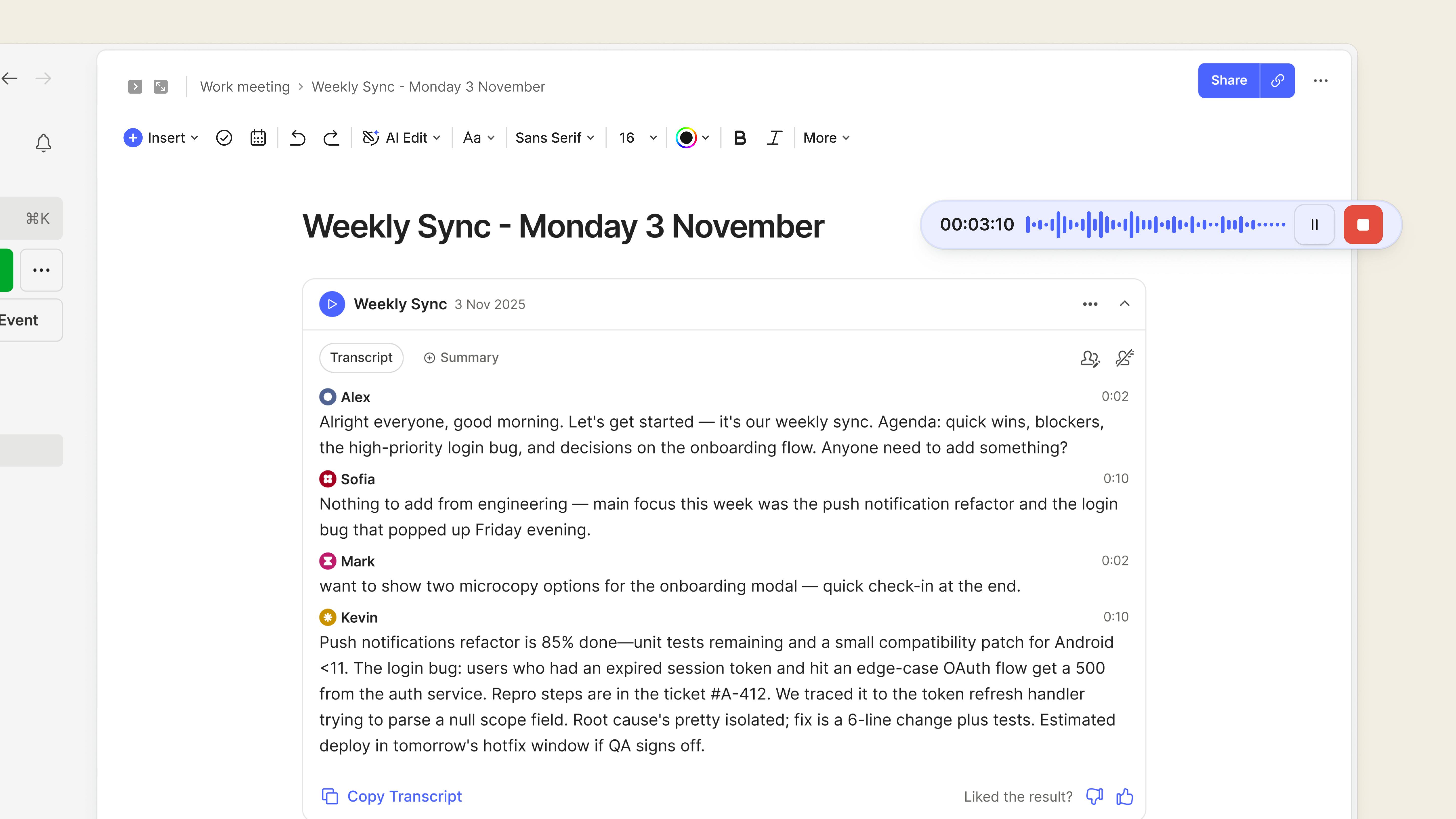
AI Meeting Notes is an evolution of our already-popular AI transcription tool. With this new functionality, you can record in-person, online, or hybrid meetings and generate a transcript (complete with speaker recognition) and summary—all without leaving Evernote. Currently, the maximum time limit is one hour, but we’re already working on making this longer in future iterations.
With AI Meeting Notes, you can stay focused on the conversation as it unfolds without needing to worry about capturing the details. It’s a great tool to use at work—but can also be helpful in many other instances, such as capturing notes in the lecture hall or the minutes of your next book club discussion.
AI Meeting Notes is available on Desktop, Mobile, and Web for all customers using Evernote v11.
After recording your audio, use the “Transcribe” button on Desktop and Web, or tap the audio file on Mobile and click the pen icon to generate your transcript. Then, tap the “Summary” button to auto-generate an AI summary. Learn more in the how-to guide.
Privacy & security are top of mind
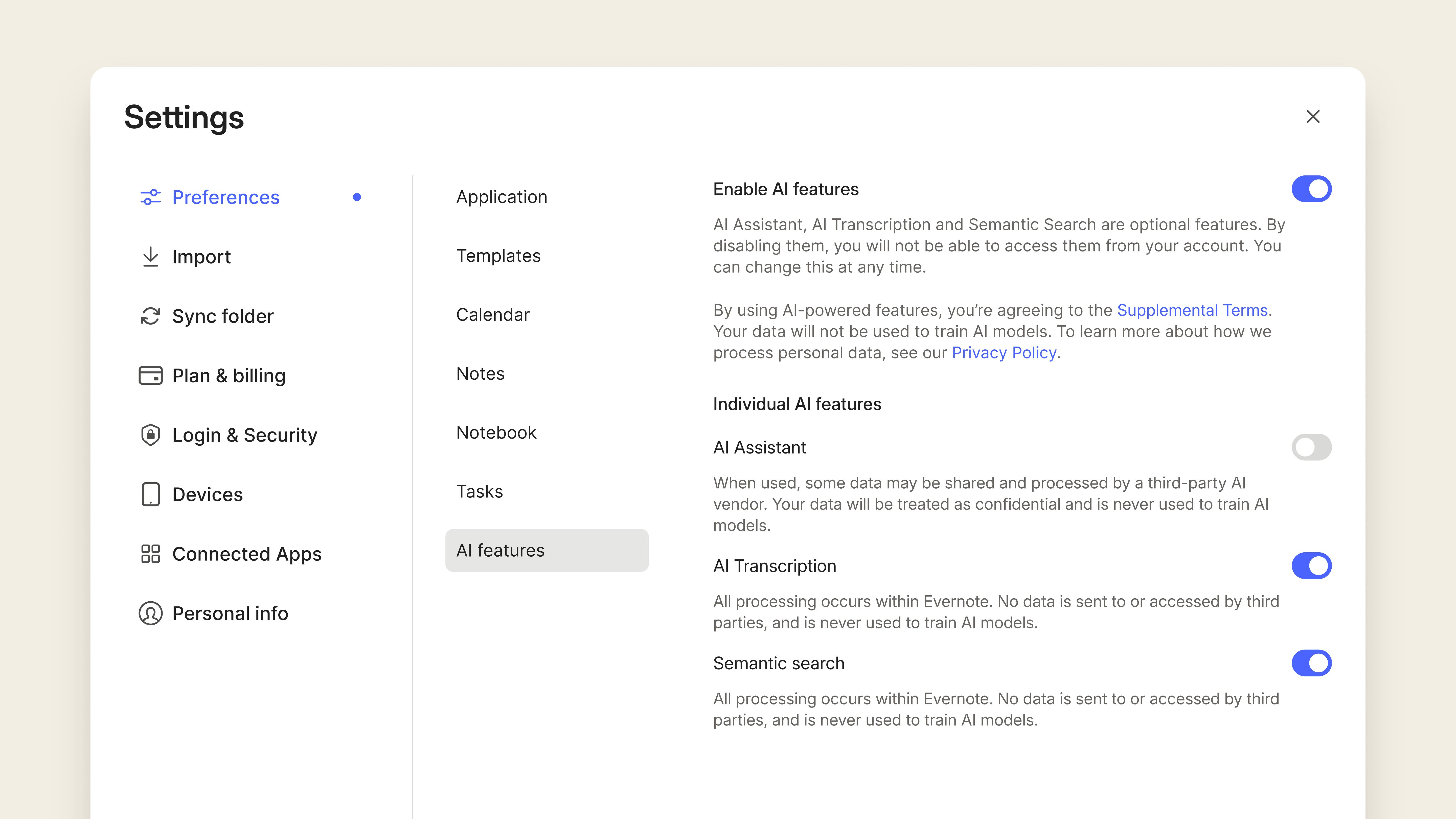
All AI features are developed with the highest security, privacy, and data protection considerations in mind. You can find more information here. That said, we also recognize that not everyone wants to use AI tools in their account. In v11, we’ve added a new group of settings in Preferences to enable or disable each AI feature individually.
Beyond AI: even more improvements, a new design, and new plans
V11 isn’t only about AI, it’s about positioning Evernote to thrive for many decades to come. Here’s what else is live with this release:
Editor & navigation updates
In v11, we’ve combined innovation with several other incremental (yet valuable) improvements. Here’s everything new you can already find in Evernote today:
- A more powerful insert menu. Now, you can search items directly, pin your most used items, easily check keyboard shortcuts, and insert text styles and list items in your notes. Available on Desktop, Web, and Mobile.
- An all-new slash command menu. In addition to a new interface, you can now use the / command to apply any text style, access formatting and alignment options, and choose your text and highlight colors. Plus, quickly find items in the list using newly added aliases. Available on Desktop and Web.
- Custom inline link previews. Choose how internal and external links are displayed in your notes—as a mention, title, preview, or standard URL—for a richer and neater note-taking experience. Link mentions also stay up to date automatically when the name of the source page changes. Available on Desktop, Web, and Mobile.
- New location for your account menu. We’ve moved your account information to the bottom of the sidebar to give priority to key navigation items, like Search and Create a New Note. Available on Desktop and Web.
- Inline link calculations. Evernote can now do basic math as you type, so you can make helpful calculations without leaving your note. Available on Desktop, Web, and Mobile.
Plus, a quick sneak preview of what will be available soon:
- A reimagined Mobile toolbar for easier Mobile editing
- Improved audio recording on Mobile
- Faster and more reliable transcripts
This is just the beginning! Continue to follow our progress on X and YouTube.
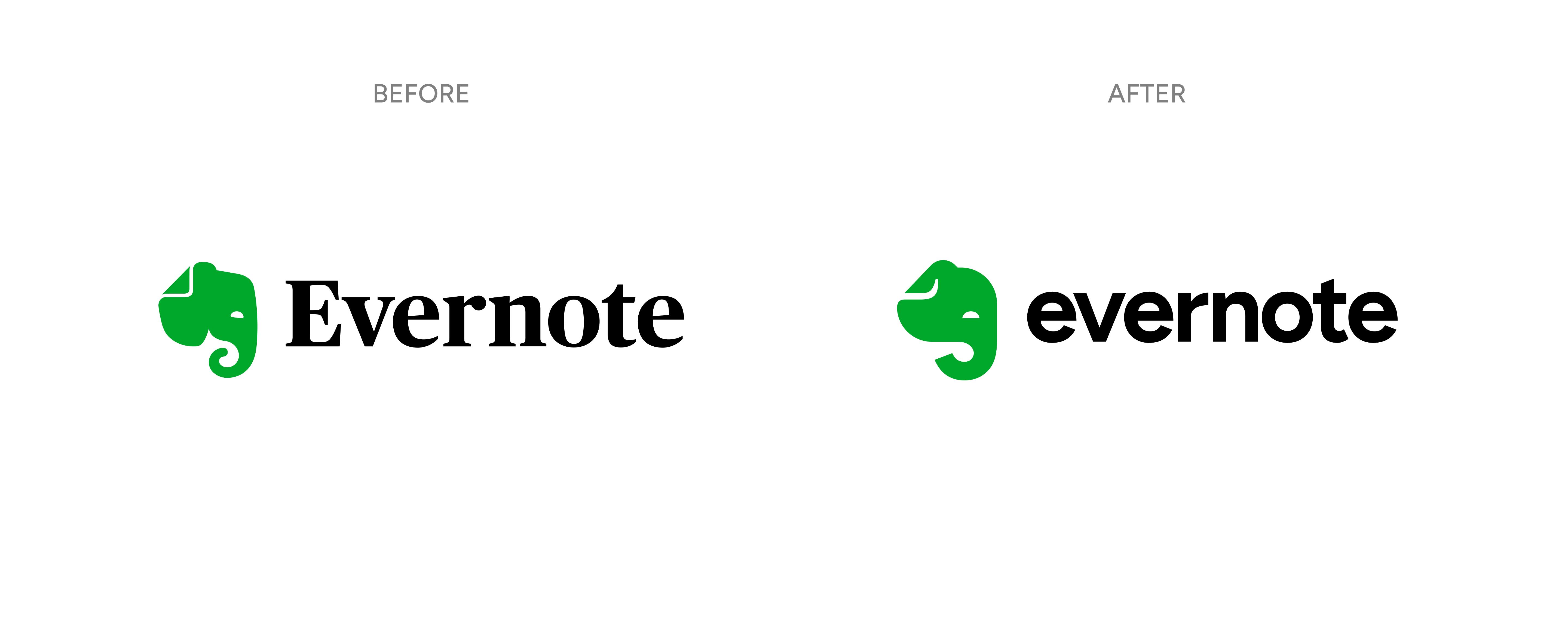
Updated logo and refreshed visual identity
Evernote has evolved significantly over the past couple of years, and we couldn’t release a major update without giving our favorite green elephant—that’s Mads—some love too. So, we introduced a brand-new Evernote logo and logotype. We also refreshed our website and unified the brand’s overall look and feel, integrating many of the elements that have naturally evolved over time into a cohesive visual identity.
New plans: Introducing Starter, Advanced, and Enterprise
We’ve introduced two new individual plans—Starter and Advanced—replacing our previous Personal and Professional plans.
Here’s why: In the past several years, we’ve made many Evernote features free to all our customers. Over time, this has made our Personal and Professional plans more similar. For many Evernote users (new and existing), it was no longer straightforward to understand which plan was best for them.
Our new individual plans aim to clarify this:
- Evernote Advanced is great for power users who manage large amounts of content and complex workflows.
- Evernote Starter is ideal for casual or occasional users, or anyone just beginning to build their second brain with Evernote.
- Evernote Free remains a strong option for those just starting out who want to explore everything the product has to offer before building their knowledge management system with Evernote.
You can see pricing and compare what’s included in each plan on our Compare Plans page. You can manage your subscription at any time in your Account settings, and visit this article to learn more.
We’ve also introduced a new Evernote Enterprise plan to replace Evernote Teams and better accommodate the unique needs of our business customers. The Enterprise plan offers teams predictable costs, unlimited scale, a dedicated customer success manager, advanced features, and more. For organizations that don’t need enterprise-level scale, we also offer an Enterprise Flexible plan, which you can use to shape Evernote to meet your unique organizational needs. You can learn more about Evernote Enterprise here.
We hope you’re as excited as we are about the arrival of v11. We look forward to hearing your feedback and introducing many additional features and improvements soon.
💚The Evernote Team